 BlurbStack
How to Make Instagram News Graphics (Without a Designer)
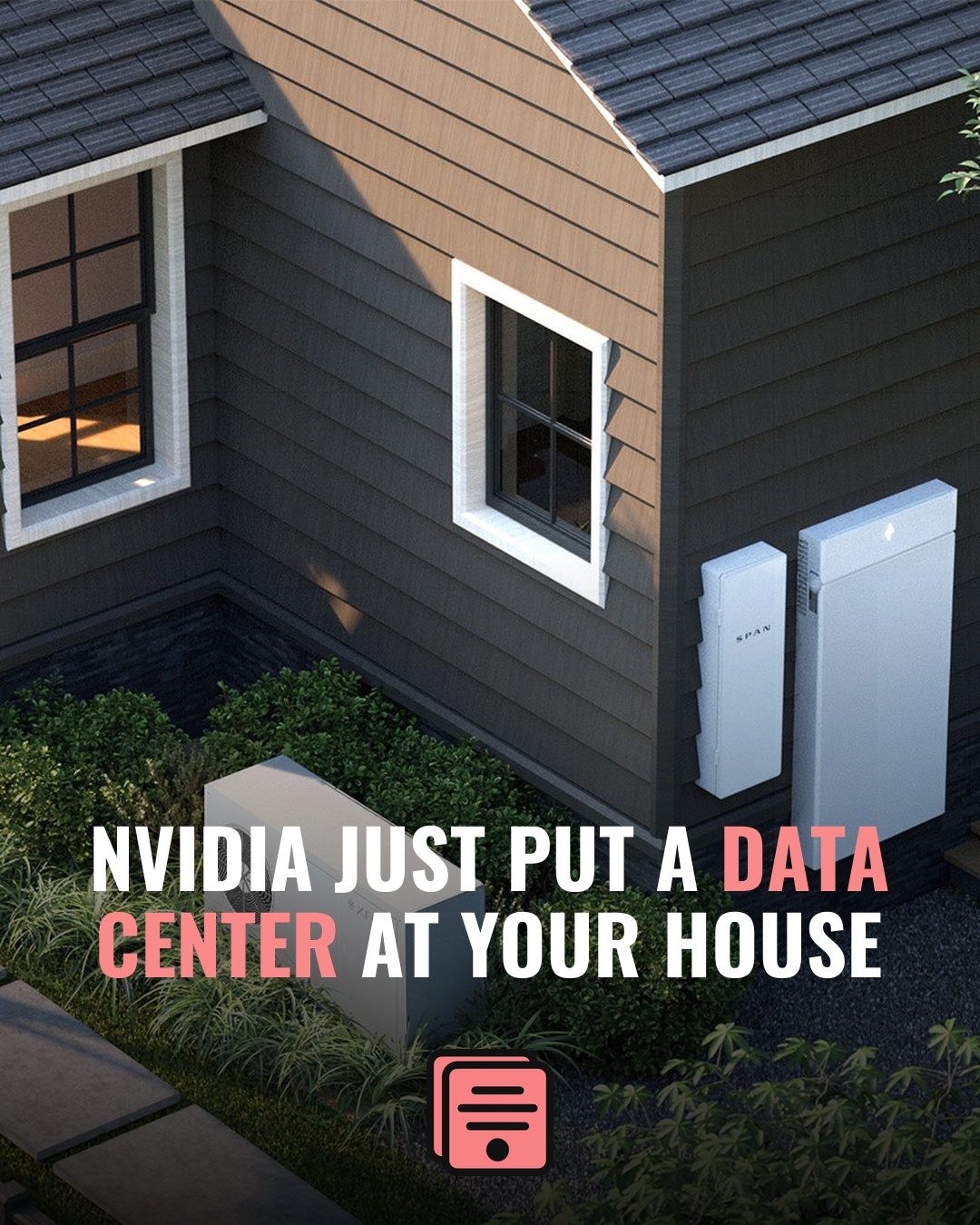
To make an Instagram news graphic, start from the article link, write an 8–12-word headline, place it as real text over a darkened photo at 1080×1350, apply your brand kit, and export. That's the whole job — no designer required. This guide walks through each step so the loop takes minutes.
News pages live and die by speed. A story breaks, and the page that posts a clean, branded graphic first gets the shares. The problem: most "make a graphic" advice assumes you're a designer with time to spare. You're not. Here's the workflow that actually works when you need a post out in the next ten minutes.
1. Start from the story, not a blank canvas
Don't open a design tool and stare at it. Start from the article itself — the source link has everything you need: the angle, the key fact, and usually a decent image. Your job is to compress it into one frame, not to redesign it.
Give the article a 60-second read and pull exactly four things: the fact that changes something for your reader, the number if there is one, the name that matters, and the place. If you can't say the story out loud in one sentence, you're not ready to design yet — and no template will fix that.
If you take one thing from this post: the fastest workflow is one that begins with the URL and works forward, instead of starting from an empty template.
2. Write a headline that earns the stop
A feed headline is not the article headline. It has about half a second to make someone's thumb stop. The rules:
- Lead with the hook, not the context. "Council just killed the downtown plan" beats "In a meeting Tuesday, the city council voted…"
- 8–12 words. Longer and it won't fit at a legible size on 1080×1350.
- Highlight one or two words in your brand color so the eye lands somewhere. A single accented word does more than a whole bold sentence.
If you're staring at a blank box, this is the slowest manual step — which is why letting an AI write a first-draft headline (then editing it) saves the most time. You keep the editorial judgment; you skip the blank-page tax. (The full craft is its own post: how to write Instagram headlines that get shares.)
3. Get a background that fits the story
This step gets glossed over everywhere, and it's where most amateur graphics fall apart. Four sourcing options, ranked:
- The article's own image — fastest, and readers recognize it from the story. One real caution: the photo in the article is not automatically yours to use. A handout, press image, or government photo is usually fine; a wire-service photo (AP, Getty, Reuters) licensed to that outlet is not. Check the credit line under the image — if it names an agency, pick another option.
- Your own photos — the best long-term asset for a local page. Build a folder of your own shots: the skyline, city hall, the beach, the stadium, the freeway sign. Nobody can pull rights on your own camera roll, and repeat locations become part of your look.
- Licensed stock — safe and slow, and everyone's seen it. Fine for abstract stories (budgets, policy, taxes) where no real photo exists. Pick the boring wide establishing shot over the staged-model one; readers can smell staged stock instantly.
- AI-generated backgrounds — the fallback when no usable image exists. Keep it clearly atmospheric — a moody skyline, courthouse steps, storm clouds — and never a fake depiction of the actual event. Generating "the scene of the crash" is a credibility trap you don't come back from.
Whichever you choose, crop to 4:5 first (1080×1350) and place the visual weight where the headline won't sit. Then make the text win: darken the image or run a gradient scrim behind the headline zone.
The test is the squint test: hold the graphic at arm's length and squint. If the white headline doesn't clearly separate from the background with your eyes half-closed, it isn't dark enough. Add scrim until it does — a background that's 20% too dark never killed a post; an unreadable headline does.
Know what makes a background fight the headline, too: busy midtones (crowds, foliage, signage) directly under the text, a face where the headline sits (the eye goes to the face, not the words), text inside the photo — street signs, jerseys, storefronts — colliding with your type. If any of those land in the headline zone, move the crop or darken harder.
4. Keep the text real — never baked into pixels
This is the step that separates credible news pages from sloppy ones. Your headline must be rendered as real text, not drawn into an AI-generated image where it can misspell or warp. A typo in a news graphic is a screenshot waiting to happen.
The reliable approach is to composite: AI (or stock, or the article photo) handles the background, and a template engine lays the headline and caption on top as actual type. That's the core idea behind BlurbStack — the words are never pixels, so they're always sharp and correct. If you want the full reasoning, see our breakdown vs. Canva.
5. Write the caption while the story is fresh
The graphic stops the thumb; the caption does the explaining. Don't post with a bare emoji. Three jobs, in order:
- Front-load the first 125 characters. That's roughly what shows in the feed before Instagram truncates to "…more". Close the gap the headline opened, or add the single most important detail, in that window.
- Credit the source. "via @outlet" or "Reporting: Outlet Name." It costs nothing, reads as professional, and keeps you on the right side of the pages you're summarizing.
- End with one CTA. "Full story at the link in bio" or "Would this change your commute?" — one call to action, not three stacked.
Two or three short sentences is plenty. You're a news page, not a caption essayist — the story lives in the graphic and the first line.
6. Stay on-brand, every single time
One-off posts are easy. The hard part is making post #400 look like post #1 — same logo placement, same fonts, same accent color. Consistency is what makes a page feel like a publication instead of a hobby.
Lock your brand kit once — logo, colors, fonts, default template — and apply it automatically to every post. Doing this by hand across a busy posting schedule is exactly where pages slip. Pick one frame as your default and reserve the others for specific jobs (a breaking-news bar for breaking, a gradient look for features) so even your variety is systematic.
7. Run the QC checklist before you export
Speed is the goal, and speed causes errors — so put a fixed 30-second checklist between "done designing" and "post":
- Read the headline out loud. Your eye autocorrects; your mouth doesn't. This catches dropped words and typos nothing else will.
- Double-check every name and place against the article. Misspelling the mayor's name is the fastest credibility hit there is.
- Check the highlight. The accent should sit on the words that carry the punch — the number, the name, the verb — not on "the."
- Logo present, right corner, right size.
- Safe zones: headline and logo inside the center square, nothing critical in the top or bottom ~135px — the profile grid crops portrait posts to a square (full details in the size guide).
Same list, every post, no exceptions. A checklist you sometimes skip isn't a checklist.
Putting it together
The whole loop should take minutes, not an afternoon: story → headline → background → legible text → caption → QC → post. Done by hand in a general design tool, it's doable but slow. Done in a pipeline built for it, it's a paste-and-publish job.
That's the bet behind BlurbStack: paste a news link and get a finished, on-brand 1080×1350 post with a real-text headline in seconds. If you run multiple pages or clients, the time savings compound fast — see how it works for social media managers and local news pages. And if you're still deciding on dimensions, start with our Instagram news graphic size guide.
Questions
How do I make Instagram news graphics for free?
Manual posts in BlurbStack are free: paste your headline, pick a template, add a background, and export at 1080×1350. The Free plan is $0 and includes 10 tokens; a full AI-generated post — headline, caption, and background from a pasted article link — costs 2 tokens.
What size should an Instagram news graphic be?
1080×1350 pixels (4:5 portrait) — the most vertical feed space Instagram allows. Keep the headline, logo, and source credit inside the center 1080×1080 square so the profile-grid crop doesn't clip them.
Can I use a news article's photo in my Instagram graphic?
Sometimes. Handout, press, and government photos are generally safe to reuse with credit; wire-service photos (AP, Getty, Reuters) licensed to the outlet are not. Check the credit line — when in doubt, use your own photo, licensed stock, or an atmospheric AI background instead.
Keep reading
- How to make a breaking news graphic — the highest-stakes version of this workflow, with the format rules that keep "BREAKING" meaningful.
- How to write Instagram headlines that get shares — the words matter more than the frame; here's the 8–12-word formula.
- Browse the template gallery — all five news frames with real example exports.
- The best Instagram news graphic makers, compared — how BlurbStack, Canva, Predis.ai, Adobe Express, and Contentdrips stack up.
Turn your next article into a post.
Paste a news link and BlurbStack writes the headline, caption, and background image in seconds.
Try BlurbStack free